BoardView icon

BoardView

Your GitHub Projects board as a kanban panel in VS Code, with a Claude Code hook that tells the AI what you moved.

VS Code extensionComes with a Claude Code hookGoes with The AI Teammate

In Chapter 15 of The AI Teammate, every new idea goes on a list first, and the AI builds only what a human has approved. I keep those lists as a GitHub Projects board: Idea, Approved, In progress, Testing, Done.

BoardView puts that board inside VS Code, next to the code and the AI. A small hook goes with it, so the AI sees every card I move.

The board

The whole board, in the editor

Click the BoardView icon in the left-hand bar and the board opens as a panel. It starts filtered to the repo of the folder you have open. Pick another repo, or All repos, from the list, or type in Filter cards to narrow it.

The list reaches every repo on my board, including projects that aren't on this site yet.
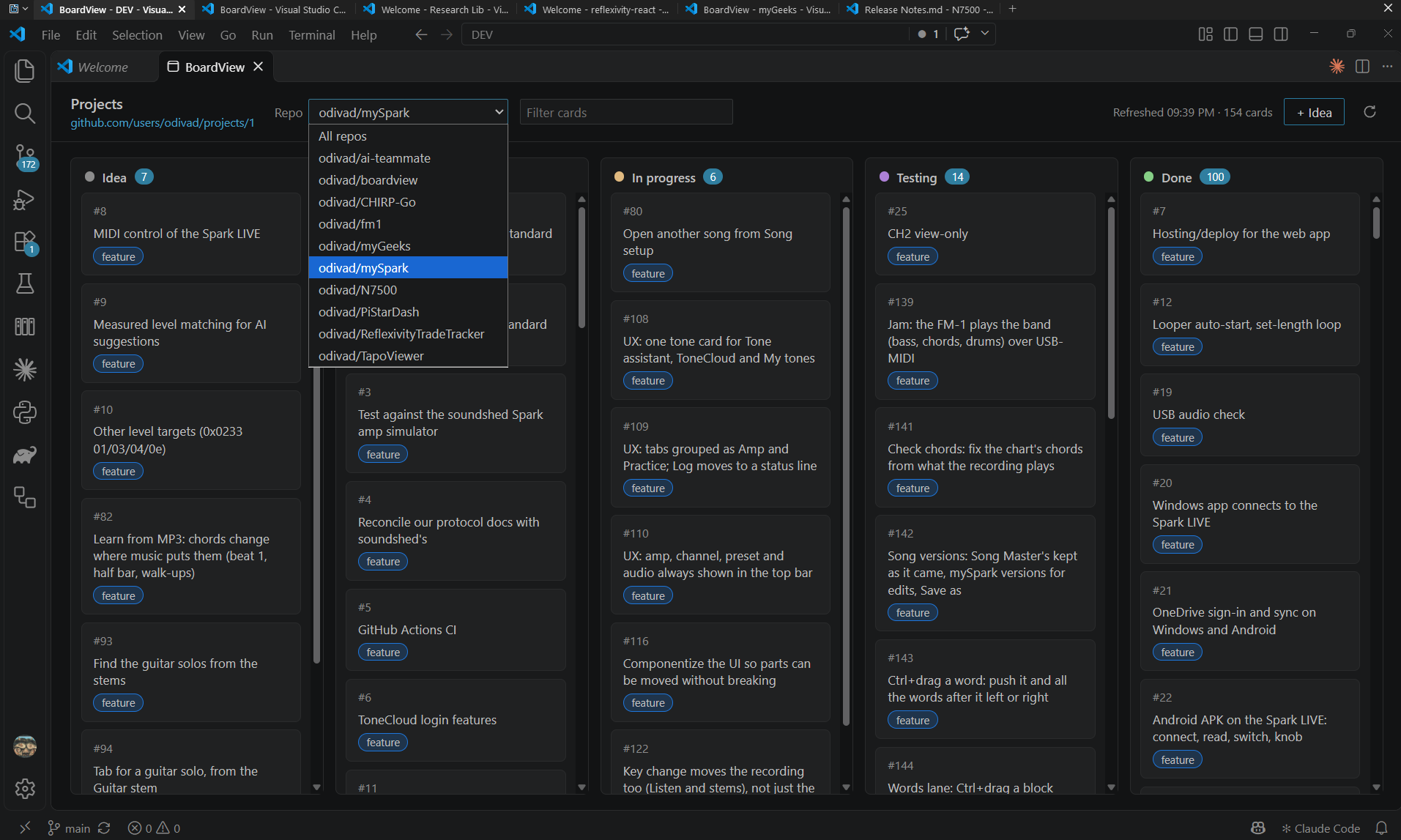
BoardView open in VS Code with the Repo list showing every repo on the board, and the mySpark cards in the Idea, Approved, In progress, Testing and Done columns
In VS Code

Installed like any other extension

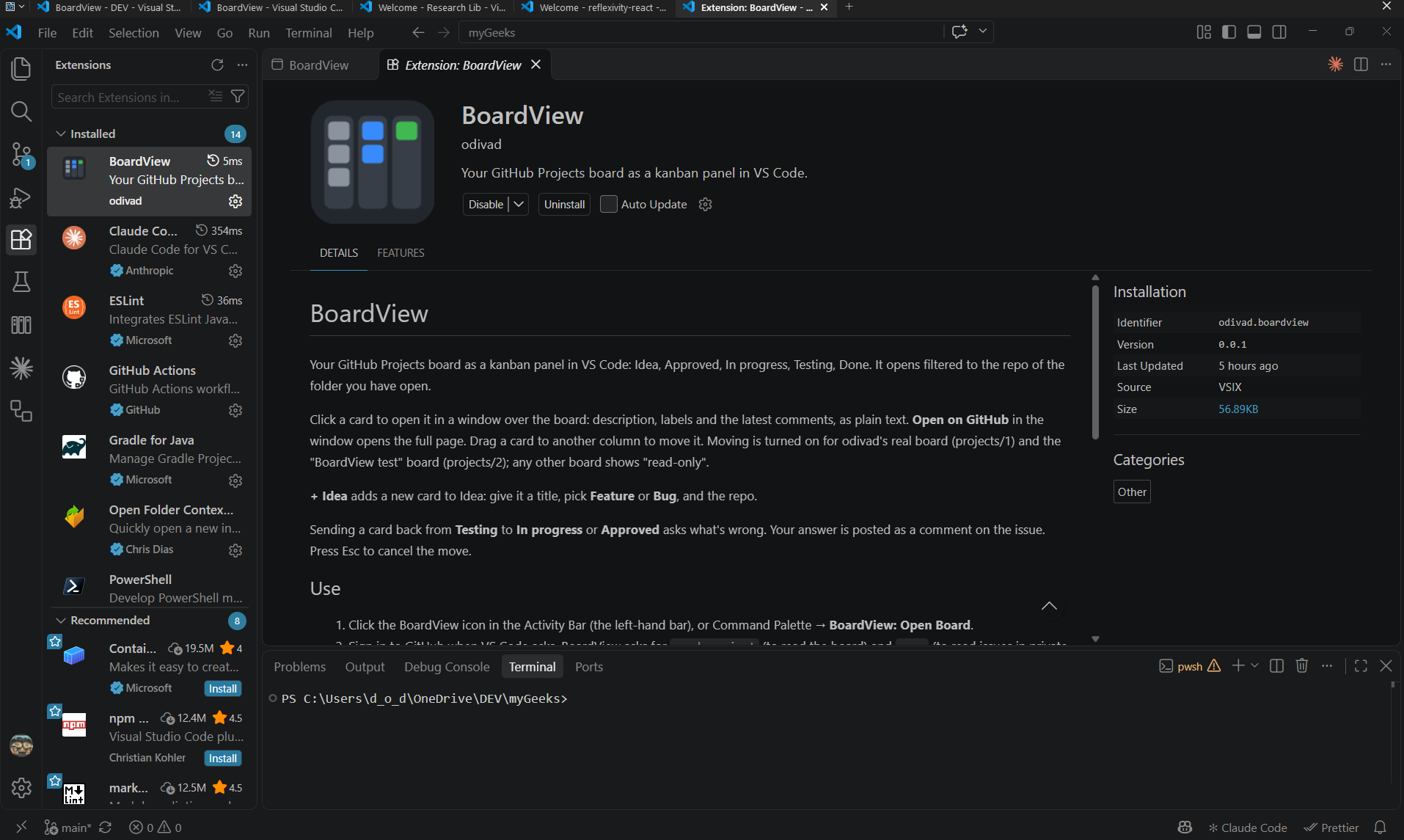
BoardView shows up in VS Code's Extensions list like any other extension. Mine is installed from a file I built (a VSIX), version 0.0.1.

VS Code with the Extensions view open on BoardView's page: icon, description, version 0.0.1, installed from a VSIX
Moving cards

Drag a card to move it

Drag a card to another column and it moves on GitHub. Moving into Approved or Done asks first, and every move has an Undo button for 8 seconds. Each of those is a setting.

Sending a card back from Testing asks what's wrong. My answer is posted as a comment on the issue, so the AI sees the reason in its next session.

The hook

The AI sees what I moved

BoardView writes each move to a file on my computer. A Claude Code hook reads that file, and the next time I send Claude a message in that project, my moves go with it: "David moved #9 Idea → Approved."

Approve a card on the board and the AI already knows. The first time I tried it, my next message arrived with all five of my moves, and Claude acted on them.

Cards

Read a card, or add an idea

Click a card to read it in a window over the board: the description, labels and latest comments. Open on GitHub takes you to the full page.

+ Idea adds a new card to Idea. Give it a title, pick Feature or Bug, and pick the repo.

Guard rails

What it's allowed to change

BoardView can only move cards on the boards listed in its code: my real board and a test board. Any other board shows read-only. Card text is shown as plain text. Errors and every request go to the BoardView log, and tokens are never written there.

Not released

BoardView is my own tool, built for the way I work. It isn't on the VS Code Marketplace.

The two lists it shows come from Chapter 15 of The AI Teammate.